
Ask a room of Drupal teams how their front end should work in 2026 and you will get four different answers, all of them correct. That is the problem. Drupal can now render the same React-style components coupled or headless, on a managed SaaS or on a platform you control. The flexibility is real. So is the confusion, because most conversations mix up two separate questions and answer them as one.
This article separates those questions, maps the four combinations they produce, and walks through what each one means for editors, developers and budgets. It is the written version of an interactive explainer we built for our own team, and every version-specific fact in it was checked against primary sources. Drupal Canvas ships a release every few weeks, so treat version details as a snapshot.
The two questions hiding inside 'how should our front end work?'
Every Drupal site answers two questions independently:
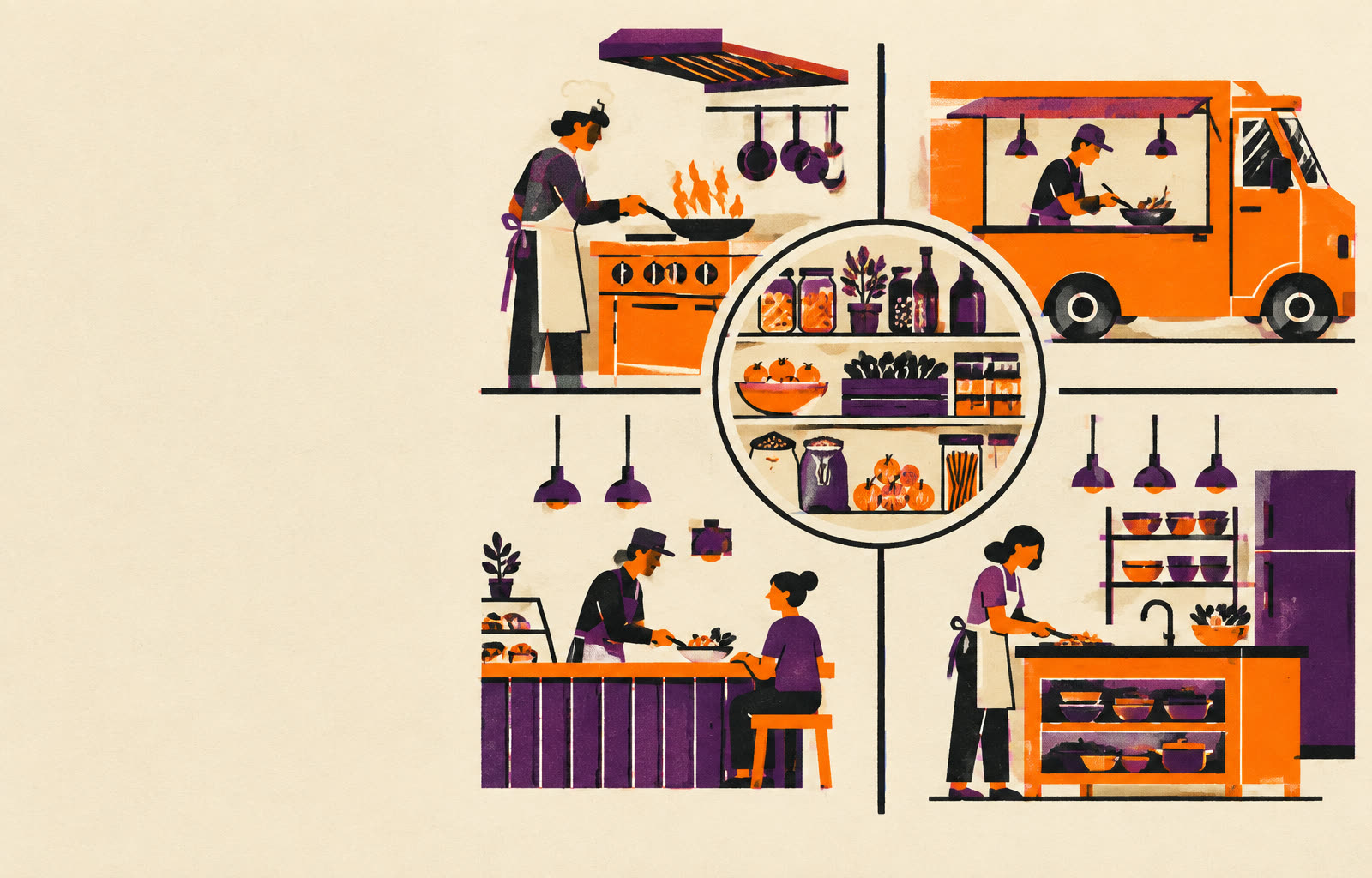
Who runs the restaurant? Either a provider operates Drupal for you (a managed SaaS such as Acquia Source CMS), or your team owns the code, modules and theme on a PaaS or infrastructure you manage (Acquia Cloud, Pantheon, Upsun, AWS).
Who cooks the page? Either Drupal renders the HTML itself (coupled, the in-house kitchen), or a separate JavaScript application renders it (headless, the food truck that pulls ingredients from the pantry through an API).
Most failed front-end decisions we get called in to untangle trace back to these two questions being collapsed into one. A team says 'we are going headless' when they actually mean 'we are moving to managed hosting.' Or they pick a hosting product and accidentally lock themselves out of a rendering option they needed. Decide the two axes separately and the right box usually picks itself.
The four boxes
| In-house kitchen (coupled: Drupal renders the page) | Food truck (headless: a JS app renders the page) | |
|---|---|---|
| Serviced restaurant (SaaS: a provider runs Drupal) | Managed Drupal CMS + Canvas. The provider keeps the kitchen running; editors build pages visually and Drupal cooks. Example: Acquia Source. | Managed Drupal CMS + Next.js. The provider runs the pantry and the APIs; your JS app cooks outside. Example: Acquia Source with Next.js. |
| Your own restaurant (PaaS: you run Drupal) | Drupal + Twig or Canvas. You fit out the kitchen yourself: any theme, any module, any set menu. Examples: Acquia Cloud, Pantheon, Upsun, AWS. | Drupal + Canvas + Next.js. You run the pantry, the APIs and the truck. Most freedom, most to look after. Examples: Acquia Cloud, Pantheon, Upsun or AWS, with Next.js. |
The landlord keeps the kitchen running. Editors order from recipe cards and Drupal cooks.
Example: Acquia Source
One constraint worth memorizing: a managed SaaS runs every rendering option except a custom Twig theme, because you cannot deploy your own Drupal code to it. If your design system lives in a bespoke Twig theme, the serviced row is closed to you.
The kitchen kit: Drupal core vs Drupal CMS
Before anyone cooks, you choose what goes inside the kitchen. Drupal CMS is not a fifth box in the grid. It is Drupal core 11.3 pre-equipped with the pieces marketing teams used to assemble by hand: Canvas visual page building on day one, site templates that install a complete starting site in minutes, recipes that configure modules for common needs, an SEO and forms toolkit, accessibility and privacy tooling, and optional AI helpers with governance controls.
This distinction matters in buying conversations. 'Should we adopt Drupal CMS?' is a question about the starting kit, not about architecture. You can run Drupal CMS coupled or headless, managed or self-managed. And for existing sites, Drupal CMS is not a migration target: you install Canvas and recipes onto your current Drupal 11.3+ site instead, provided your theme is component-based.
Four ways Drupal content becomes a page
These apply to any Drupal 11 site, wherever it is hosted. The real dividing line is who decides the layout: a developer in code, or an editor in Canvas.
| Twig theme | Canvas, coupled | Classic headless | Canvas Headless (new, experimental) | |
|---|---|---|---|---|
| Who renders HTML | Drupal (Twig) | Drupal, with code components hydrated as islands | JS app | JS app |
| Who decides layout | Developers | Editors in Canvas | Developers | Editors in Canvas |
| Editor experience | Forms, Layout Builder, Paragraphs | Visual drag and drop with live preview | Forms only; preview via the JS app | Visual drag and drop, previewing the real JS front end with drafts |
| What developers build | Twig templates, SDC, CSS/JS libraries | Code Components (React-style JSX, Tailwind, TypeScript) | Whole front end on JSON:API (core) or GraphQL (contrib) | Code Components registered with the Canvas Headless SDK |
| Systems to run | 1 | 1 | 2 | 2 |
| Status today | Mature | Stable (Canvas 1.x) | Mature | Experimental |
| Good fit | Developer-led, stable templates | Marketing sites, editor autonomy | App-like front ends | Modern JS front end with editor control |
The house chef cooks from a fixed set menu. Changing how a plate looks means rewriting the chef's recipes, which is code.
- Who renders
- Drupal
- Who decides layout
- Developer, in templates
- Editor experience
- Forms, Layout Builder or Paragraphs
- What you build
- Twig, SDC, preprocess, CSS and JS libraries
Canvas Headless is the interesting one, and the one to be most careful with. The canvas_headless submodule and its starter templates (Next.js, Nuxt, Astro, TanStack Start, plus an Angular adapter) are flagged experimental. The promise is real: editors keep visual control while the front end is a modern JS app, and the Acquia and Vercel alliance announced on 28 September 2026 makes the hosting story cleaner. But APIs may change. Prototype before you promise timelines.
Where each option runs
Drupal and the JS front end can share one host or live apart, and the hosting landscape shifted more in the last year than in the previous five:
Acquia Source CMS (managed SaaS, launched July 2025) hosts Drupal only, with no code access and no contrib modules. Acquia Cloud Platform hosts the JS front end as an enterprise add-on, with Next.js SSR and ISR on the Advanced tier. Pantheon made managed Next.js generally available in April 2026 for Gold tier and above. Upsun runs Drupal and Next.js side by side in one multi-app project. Vercel and Netlify host the front end only, and AWS gives you everything including the operations work.
The practical takeaway: 'headless means two vendors' is no longer true. Two systems to run does not have to mean two relationships to manage.
What we tell clients before they promise 'zero rework'
These are the misconceptions we correct most often in discovery. Each one has cost a real project real time.
Same cards, not the same truck
Canvas Headless carries your Code Components over, but everything around them still needs building and testing: routing, data fetching, caching, authentication and preview wiring in the JS app are your team's work.
Twig themes do not travel
A Twig theme only works in a coupled setup you host yourself. Code Components are the portable investment. If there is any chance you go headless or managed later, build components, not templates.
The version floor is real
Current Canvas releases need Drupal core 11.3 or later, and Drupal 11 itself needs PHP 8.3. Older sites need an upgrade first, and that upgrade is its own project with its own budget line.
Canvas needs the right theme
Existing sites need a component-based theme before Canvas works. Migration paths from Layout Builder and Paragraphs were not ready at the Drupal CMS 2.0 launch, so plan component rebuilds into the timeline rather than expecting a converter.
Watch the theme CSS
Community issue reports flag Mercury, the open source theme behind Drupal CMS 2.0 and Acquia Source, overriding Tailwind responsive classes in Canvas components. Test breakpoints on the real site, not in the component editor.
How to choose, by who you are
If you are a marketing leader on a new site: managed Drupal CMS with Canvas, coupled, is the shortest path to editor autonomy. You get visual page building on day one and no infrastructure to own.
If you are a technology leader with an existing Drupal 11 estate: get to core 11.3, adopt a component-based theme, and pilot Canvas on one section before committing. Keep headless as an option by investing in Code Components rather than Twig.
If you are building an app-like product experience: classic headless on JSON:API or GraphQL is mature and well understood. Canvas Headless is worth a prototype, not a promise.
If you are an executive sponsor: the question to ask your team is not 'are we headless?' It is 'who decides layout, and who runs the platform?' Two answers, four boxes, and very different cost profiles.
The bottom line
Drupal's front-end story in 2026 is not a single recommendation. It is a two-by-two grid where each box is legitimate, and the expensive mistakes come from answering one axis while thinking about the other. Pick who runs the platform and who renders the page as two separate decisions, invest in portable components either way, and treat Canvas Headless as a promising experiment rather than a committed plan.
We help teams make exactly these calls, from front-end architecture and Drupal engineering through to the hosting and editor-experience trade-offs. If you are weighing the four boxes for a real project, start a conversation with our engineering team.
Bring this dispatch into a working session - one page in, scoping memo out.
Brief Foyer