
Building A Superior n8n Setup
In the current AI-First mindset, the most expensive mistake isn't using the wrong tool. It's accepting whatever tool is in front of you and shaping your work around its limits.
I've been overseeing our automations for a few years now, and for a remote organization like ours, they do a lot of heavy lifting to keep day-to-day operations smooth. The stack powers HR data, employee engagement, onboarding, offboarding, leaves, alumni connections, and a dozen other invisible workflows that quietly hold everything together. Around 200 of them in total, with roughly 150 active at any given time.
Automation in itself is an intricate architecture. You rely a lot on data being exactly what you need, and given the nature of the beast, it is impossible to foresee every permutation and combination. Sometimes a comma is missed, or a spelling mistake causes the entire pipeline to fail. Idempotency is a very important concept to hold dear when you are dealing with automations. You often don’t have the luxury to just run the damn thing again. You have to wait, anticipate the next run, and apply the fix without causing cascading troubles down the line.
As LLMs got better at understanding our tools, and as MCP servers started shipping for every popular service, I did the natural thing too: I plugged in the MCP server, expecting the assistant to read, reason, and help me debug like a senior engineer pairing in real time.
It didn't!
I very quickly realized it wasn’t working how I wanted. My goal was specific. I wanted Claude to help me monitor our automations fast and efficiently. I should be able to point it at a problem and have it either spot the issue or make a credible attempt at debugging it.
Just to be clear, this isn’t a complaint about that particular MCP. It’s a story about understanding the gap between what a tool gives you and what your work actually needs, and what becomes possible when you close that gap deliberately.
The Diagnostic
Adopting Claude reset my baseline. Over the past year, I've been quietly migrating my own day-to-day bots and automations off the various tools they used to live in and onto a Claude-based setup. The more I built, the more confident I became that the friction I kept feeling, especially when debugging those automations, wasn't a limit of the AI itself. The MCP I'd started with felt lacking, but more than the MCP, what bothered me was the wiring, how the AI was hooked up to the shape of my actual work.
So I kept iterating. Don't get me wrong, it took plenty of cycles to iron out the rough edges. But what's running today is easily faster, broader, and a far closer fit for the way I work.
Now, a few months later, I decided to give the MCP another look, partly out of curiosity, partly to keep myself honest. I ran four tests against the same n8n instance, with the same agent, side by side: the MCP path versus the setup I’d been building.
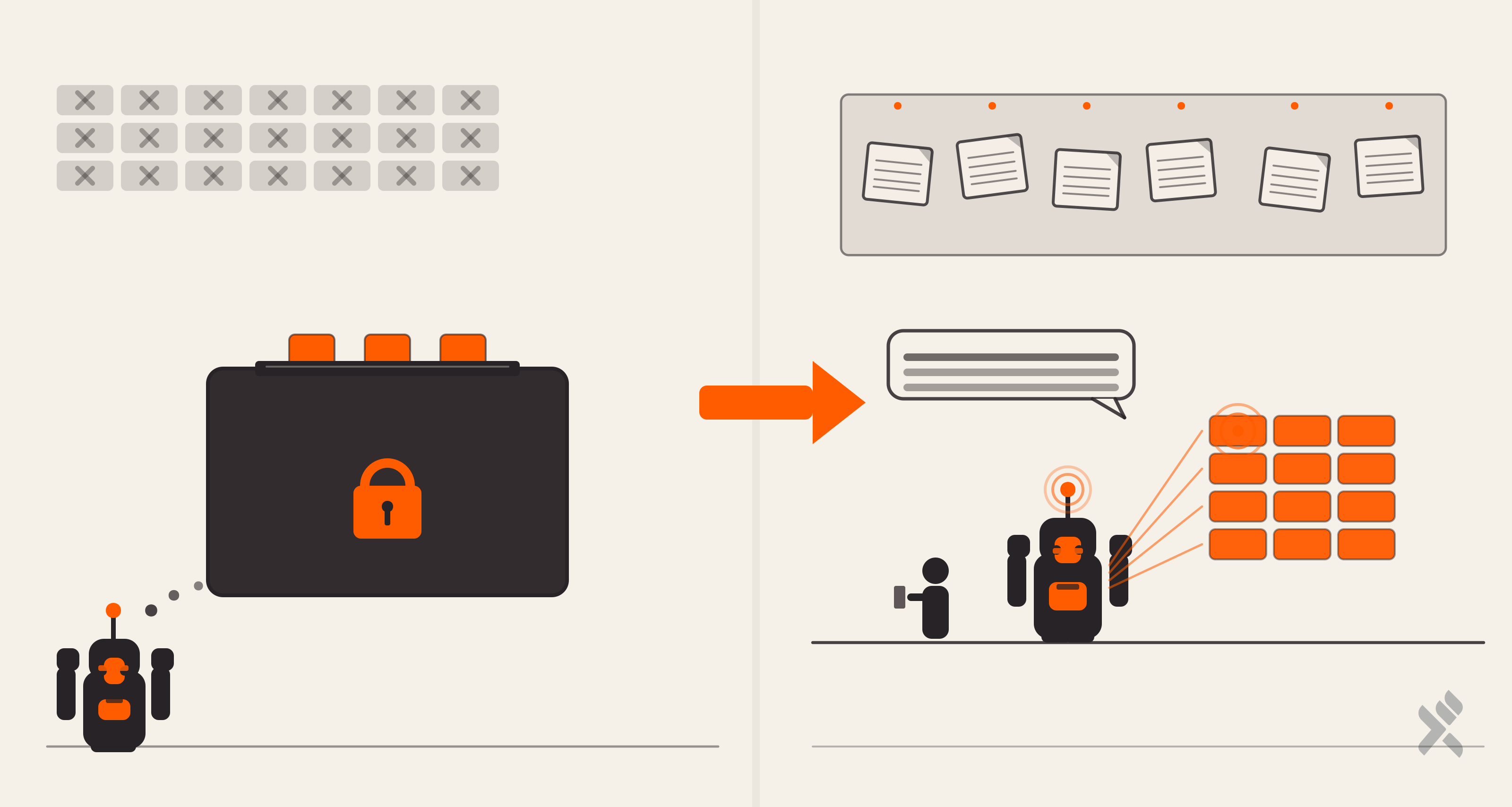
1. Coverage. The instance has around 150 active workflows. The MCP returned three. The cause turns out to be by design: n8n’s MCP integration is opt-in per workflow. Each one needs a manual "available to MCP" toggle flipped on. Only three had it. That toggle is a sensible default for many setups. You don’t always want every external agent to see every workflow. For my use case, where I’m the one debugging my own automations, it’s friction that doesn’t pay for itself.
This also creates another issue. I can’t build with AI directly using NLP the way we’ve gotten used to doing with code. I can’t easily interact with workflows that aren’t ready for production yet.
2. Findability. I asked the agent to locate a workflow that posts a specific notification. Through the MCP, four different sensible search queries returned zero results, including queries that exactly matched words inside the workflow’s name. That took about 150 seconds. Through the custom setup, the agent found the right workflow, the right node, and the exact message template in 90 seconds.
3. Depth. When the MCP could see a workflow, it returned the JSON in a single 56 KB response. That blew past the agent’s response token budget and forced a file dump that the agent then had to re-read in chunks. One field also stayed abstracted away: the credential reference attached to each node. That field, if mishandled during a write, silently disconnects a workflow from its API tokens. We’ve hit that bug before, and seeing it directly is part of how we now avoid it. Hiding it makes sense for a generic agent. For my self-service debugging, I’d rather have the visibility.
4. Coverage gaps. No execution history. No error logs. No stack traces. No way to filter for failed runs. For my use case, where the question I’m asking the agent is usually "did it run, and if not, why", that’s a meaningful gap. Different use cases will weigh it differently. For mine, it’s the difference between “almost useful” and “actually solves the problem.”
A Note On What I Tested
Worth pausing here, because n8n uses the term "MCP" for two distinct things, and conflating them would be unfair to the platform.
The first is the MCP Server Trigger node, a node you drop into a workflow to expose that workflow as an MCP server. You decide which n8n nodes get wired up as exposed tools, and you compose from the full n8n catalogue. That path is genuinely powerful, and the reference docs that list every available tool are documenting that path. Great for builders.
The second is the integration we connected, a managed MCP server that lets external AI agents talk to your n8n account through a fixed tool surface. It’s deliberately narrow, designed for safety and predictability when third-party agents poke at your instance. For many use cases, that’s exactly the right shape.
The tests above measured the second one, because that’s the path that plugs in cleanly without building anything. If I wanted to match what my custom setup does using n8n’s own MCP path, I could build a custom MCP Server Trigger workflow exposing exactly the operations I need. That’s a perfectly viable route, just a different shape of investment, and one where I’d be designing the surface area myself either way.
What The Custom Setup Does Instead
Three unglamorous components, each optimised to the T. Here is what they do, and why each one earns its place.
I call this the MARC setup: Memory, API access, Rules, and Corrections. Each layer is simple alone; together they compound into something that behaves like a senior engineer who has been pairing with you for months.
- A Persistent Memory Layer. The agent has notes about my instance and the workflows, and over time it has gotten better and better. It now knows the naming conventions, the terminology of the organisation, the platform’s hidden limits, and a growing catalogue of past incidents with their root causes. New conversations don’t start cold. They start informed.
- Direct REST Access. Instead of routing through an MCP wrapper, the agent calls the n8n REST API directly. I find this is a surface that’s far richer than anything the wrapper exposes. One API call, full fidelity. Everything the platform offers (workflows, executions, error data, nodes, webhooks, schedules) is available.
- Codified Behavioral Rules. Things like "always GET before PUT to preserve credentials" live as feedback notes the agent reads at the start of any modify operation. Mistakes we paid for once, we don’t pay for again.
Each of those is straightforward on its own. What pulls them together, and what took the longest to build, is the layer that sits underneath them.
Training Claude On My Work
The three components above describe what the setup is. What turned it into something useful is what happened between sessions: a slow, deliberate process of teaching Claude the nuances of how I work.
No fine-tuning, no expensive training run. Just a feedback loop. Every time Claude got something wrong (picked the wrong workflow, misread a naming convention, suggested a fix that would have wiped credentials), I corrected it, and that correction got recorded as a note the agent reads on its next run. Every time Claude got something right that wasn’t obvious from the code (flagged the right risk before I asked, made a sensible scope call on a refactor), that judgment got recorded too. Both directions matter. Corrections stop the agent repeating mistakes. Confirmations stop it second-guessing decisions you’ve already validated.
The result is an agent that doesn't need to be reminded that the n8n Cloud execution timeout is around 21 minutes, or that a particular deactivated workflow is the one not to recommend reusing, or that “SRC-AUTO” workflows belong to a specific scheduled-job convention. Each of those notes cost me valuable effort the first time, but each one now saves a tedious explanation every conversation thereafter.
This is the part most people skip, and it’s where the real gap lives. The AI was never going to be good enough for your work out of the box, because nobody training the AI knows what your work looks like. You do. The training step is yours, and it’s small. A few minutes of feedback per week, persisted somewhere the agent actually reads, compounds into something that feels remarkably competent within a couple of months.
Why This Saves Tokens, And Why That Matters
This is the part that’s easy to miss, and it’s the most important one.
When the MCP returns a 56 KB workflow JSON, every kilobyte counts against the agent’s working context. In an agent loop, where each tool response is appended to context the model has to reason over, bloated responses compound fast. Run six such calls in a debugging session and you’ve burned 300+ KB of context on JSON the agent doesn’t actually need.
The custom setup pipes the same REST call through a python3 -c "extract only the field I want". When the question is "what message does that Slack node send?", the answer is 200 bytes, not 56 KB. That's a 280x reduction.
The agent stays sharp because its context stays focused. It also runs faster, costs less, and produces tighter answers. That’s a knock-on benefit you only notice once you’ve stopped wasting context on JSON you don’t need.
Token economics is an architectural decision, not a billing detail. Build like you understand that.
The Broader Lesson
We are living through a strange moment. The default cost of building custom tooling has collapsed because the tooling can be designed with the agent that’s going to use it. A memory file is a few markdown notes. A REST wrapper is a curl command. A behavioral rule is one paragraph. Each artifact takes minutes to write, and the agent itself helps you write them. The barrier to building the product you want has never been lower. Our design team has made the same move.
What hasn’t changed is the prerequisite. You need to understand the gap.
That means knowing what the off-the-shelf abstraction actually covers, and where it stops. You also need to know what your real work looks like, not the demo your tool vendor pitches, but the messy 150-workflow instance, the credential bug from last quarter, the executions you spend Tuesday afternoons chasing. And you have to understand how agents consume context, why response shape matters as much as response content, and why a “successful” tool call that returns the wrong shape is more expensive than a failed one.
Without that understanding, the question stays, "what's available?" and you reshape your work to fit whatever the answer is. With it, the question becomes, "what should exist for the way I actually work?". In the AI era, the gap between those two questions is no longer a year of engineering. It’s an afternoon with the right notes.
One Year Later
A year ago, debugging a live automation meant opening the n8n UI, clicking through nodes, and remembering everything that had ever broken. Today, it’s a conversation. The tools that got me here aren’t new either: a memory, REST API access, and a handful of notes that record decisions and past mistakes. The technology didn’t change. I stopped waiting for the right tool to exist and built one for the way I work.
If you’re sitting on a system you know intimately and an AI you wish understood it better, the distance between those two is smaller than it looks. The first note is the hardest one to write. After that, the agent helps.
Build the tool that fits your work. The era of waiting for someone else to build it for you is over.
Working through the same gap with your own stack?Tell us what you’re building, and we’ll share what’s working for us. Reach out and let’s compare notes.
- Does n8n Support MCP?
- Use the n8n managed MCP when you want third-party AI agents to interact with your account through a safe, narrow tool surface. Build a custom REST-based setup when you are debugging or operating your own automations and need full visibility into every workflow, execution history, error logs, and credential references. The MCP optimizes for safety. A custom setup optimizes for fit.
- Why Does The n8n MCP Server Only Return Some Of My Workflows?
- What Is The Difference Between n8n's MCP Server Trigger And Its MCP Integration?
- Can I Debug n8n Workflows With Claude?
- How Do I Make Claude Understand My Specific n8n Setup?
- Should I Use The n8n MCP Or Build A Custom Setup?
Bring this dispatch into a working session - one page in, scoping memo out.
Brief Foyer